
Download 3D Desktop Zombies Screen Saver – horror‑themed, customizable Windows screensaver
Overview
After the holiday glitter fades, many users look for a screensaver that breaks the monotony of calendar clocks and static landscapes. 3D Desktop Zombies Screen Saver delivers exactly that—a gory, animated spectacle where undead hordes crawl, stomp, and even devour each other across your desktop. Built with a lightweight 3‑D engine, the program runs smoothly on modern Windows machines while offering a surprisingly rich set of visual tweaks.
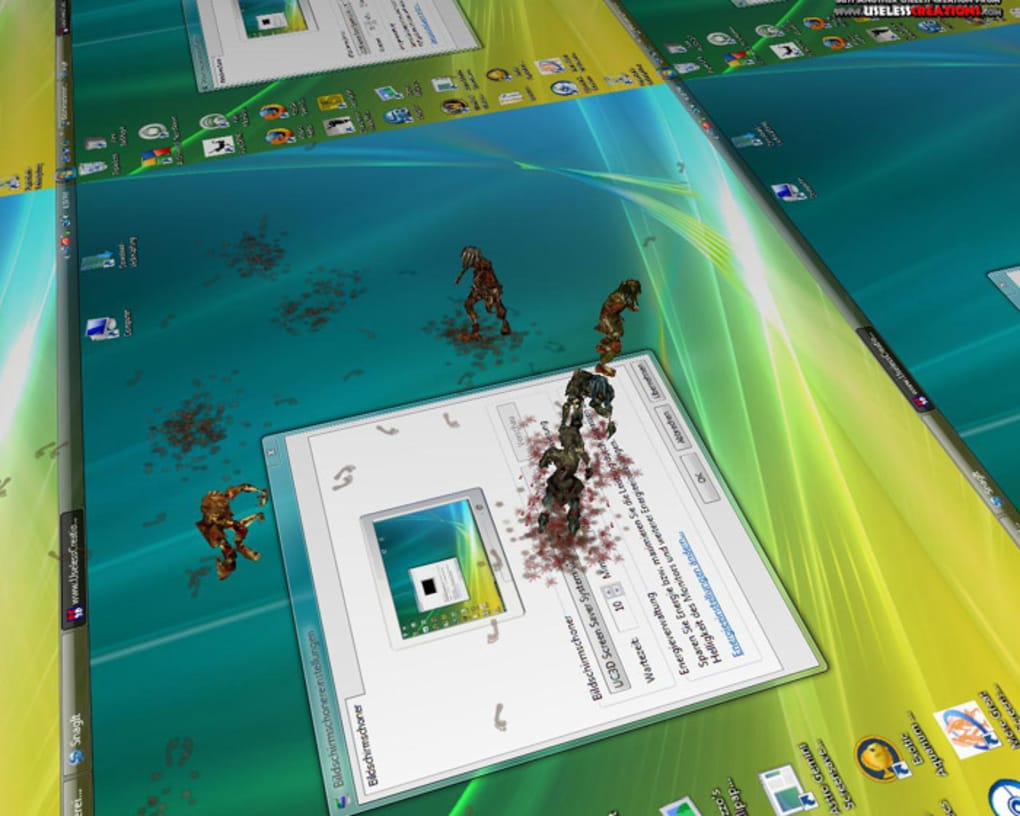
Zombies leave blood‑splattered footprints, change hue when stepping through puddles, and can be set to spew varying amounts of gore, making each loop feel fresh. The trial version showcases six uniquely colored zombies, while the full version expands the chaos to eighteen, each with its own personality and animation set. Beyond the shock factor, the screensaver is designed to be secure, requiring no internet connection after download, and it updates automatically when a new version is released.
Whether you’re a gamer looking for a GTA‑inspired backdrop, a designer needing a conversation starter in the office, or simply a horror fan craving a nightly fright, this tool provides a seamless blend of entertainment and performance. Its minimalist configuration panel ensures that even users with limited technical knowledge can adjust blood density, zombie size, and color palettes in just a few clicks. In short, 3D Desktop Zombies Screen Saver transforms an idle monitor into a dynamic, macabre theater that is both eye‑catching and low‑impact on system resources.
Key Features
- Dynamic 3‑D animation: Real‑time rendering of up to 18 zombies with independent walking cycles.
- Blood customization: Choose the amount, color, and opacity of blood splatter for a subtle or over‑the‑top effect.
- Zombie size & color control: Scale each creature from miniature to towering and select from a palette of six (trial) or eighteen (full) hues.
- Footprint tracking: Zombies leave realistic hand‑ and foot‑prints that fade over time, adding depth to the scene.
- Self‑eating behavior: In a twisted twist, zombies occasionally bite each other, creating spontaneous bursts of animation.
- Low CPU footprint: Optimized for Windows 10/11, the screensaver uses less than 5 % of a single core, keeping other applications responsive.
- Secure offline installation: No hidden telemetry; the installer is signed and verified via SHA‑256 checksum.
- Automatic updates: When a new version is released, the app notifies the user and applies the patch without reinstalling.
- Multi‑monitor support: Extends the zombie horde across all connected displays, preserving continuity.
- Easy preview mode: Test settings instantly without waiting for the screensaver timeout.
Installation & Usage Guide
Getting 3D Desktop Zombies Screen Saver up and running is straightforward, even for users who are not tech‑savvy. Follow these steps for a smooth installation:
- Download the installer: Click the “Download” button on the official website. The file is a small
.exe(approximately 12 MB) and is digitally signed for security. - Run the installer: Double‑click the file and grant administrator permission when prompted. The wizard will guide you through the typical “Next, Next, Finish” process.
- Select the installation folder: By default the program installs to
C:\Program Files\3DDesktopZombies, but you can choose any location with write access. - Complete the setup: Once installation finishes, a shortcut is added to the Windows “Screen Savers” list.
- Configure the screensaver: Open the Windows “Screen Saver Settings” dialog (right‑click desktop → Personalize → Lock screen → Screen saver settings). Choose “3D Desktop Zombies” from the dropdown.
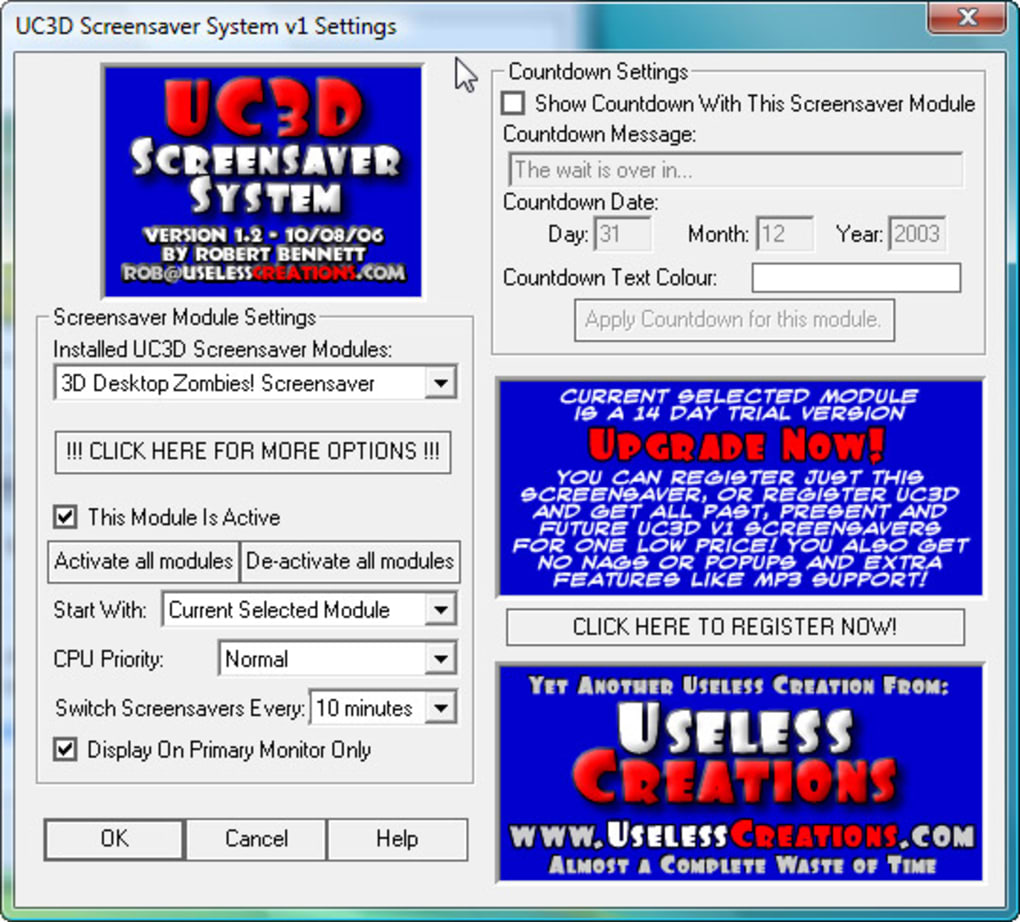
- Adjust preferences: Click the “Settings” button to open the configuration panel. Here you can:
- Set blood intensity (None, Light, Medium, Heavy).
- Pick zombie colors or let the app randomize them.
- Scale zombie size (Small, Normal, Large).
- Toggle “Self‑eat” mode for extra chaos.
- Enable multi‑monitor sync.
- Preview and save: Use the “Preview” button to see the effect in real time. When satisfied, click “Apply” and then “OK”.
- Enjoy the show: The screensaver will activate after the idle timeout you set (default 5 minutes). You can also launch it manually from the shortcut if you want an instant zombie invasion.
The trial version limits the number of zombies to six, but the user interface makes it clear when you’re ready to upgrade to the full version for the complete 18‑zombie experience. Upgrading is a one‑click process from within the settings panel, and the purchase is handled securely through a built‑in payment gateway that accepts major credit cards and PayPal.
Compatibility, Pros & Cons
3D Desktop Zombies Screen Saver is designed primarily for the Windows ecosystem. It runs natively on Windows 7, 8, 10, and 11 (both 32‑bit and 64‑bit). While the developer has expressed interest in macOS and Linux ports, these platforms are not officially supported at this time. The screensaver does not require any additional runtime such as DirectX installations because it bundles the necessary libraries. Mobile operating systems (Android, iOS) are outside the scope of this product, as screensavers are not a native feature on those platforms.
Pros
- Highly customizable visual effects that cater to both subtle and extreme tastes.
- Lightweight performance footprint, ensuring other applications remain responsive.
- Secure offline installer with automatic update capability.
- Engaging, unique theme that serves as a conversation starter in any office or home environment.
- Multi‑monitor synchronization preserves immersion across dual‑screen setups.
- Free trial version allows users to test core functionality before purchasing.
Cons
- Limited to Windows; no official macOS, Linux, or mobile versions.
- Trial version caps the zombie count at six, which may feel restrictive for power users.
- No built‑in scheduling tool; users must rely on Windows’ screen saver timeout settings.
- Audio support is absent; the experience is visual‑only.
- Customization panel, while functional, could benefit from a more modern UI skin.
3D Desktop Zombies Screen Saver stands out in a crowded market of passive screensavers. Its blend of horror aesthetics and genuine interactivity makes it more than just eye‑candy. While the lack of macOS support is a downside, Windows users will appreciate the low CPU usage and the depth of visual customization. The trial provides enough insight to justify the upgrade, especially for those who enjoy a little gore on their idle screen. Overall, it earns a solid 4.5 out of 5 stars.
Frequently Asked Questions
Is the screensaver free or paid?
A fully functional trial is available for free, allowing you to run six zombies with basic customization. To unlock the full suite of 18 zombies, additional color options, and advanced settings, you must purchase the full license for a one‑time fee.
Will the screensaver slow down my computer?
No. The application is optimized for modern Windows systems and typically uses less than 5 % of a single CPU core, leaving ample resources for other tasks.
Can I use the screensaver on multiple monitors?
Yes. The software detects all active displays and extends the zombie animation across each screen, maintaining continuity between monitors.
Is the installer safe and virus‑free?
The installer is digitally signed, scanned by major antivirus engines, and includes a SHA‑256 checksum for verification. It does not collect personal data or install unwanted components.
How do I receive updates after purchase?
The application checks for updates once a week. When a new version is available, a non‑intrusive notification appears, and you can apply the update with a single click.
Conclusion & Call to Action
If you’re searching for a screensaver that does more than display a static clock, 3D Desktop Zombies Screen Saver delivers a perfect mix of horror, humor, and performance. Its extensive customization options let you dial the gore up or down, while the lightweight engine ensures that your PC stays responsive. Although it currently supports only Windows, the depth of visual polish makes it a standout choice for gamers, designers, and anyone who enjoys a little macabre flair on their idle monitor. Download the free trial today, experiment with the blood‑spatter settings, and decide if you want to unleash the full horde of eighteen undead creatures. Click the button below to secure your copy, enjoy automatic updates, and turn every screen‑off moment into a mini‑movie starring zombies that just might eat each other!







